
Hellraiser Revival Lockpicking: Stop Breaking Picks
Which lock are you looking at?
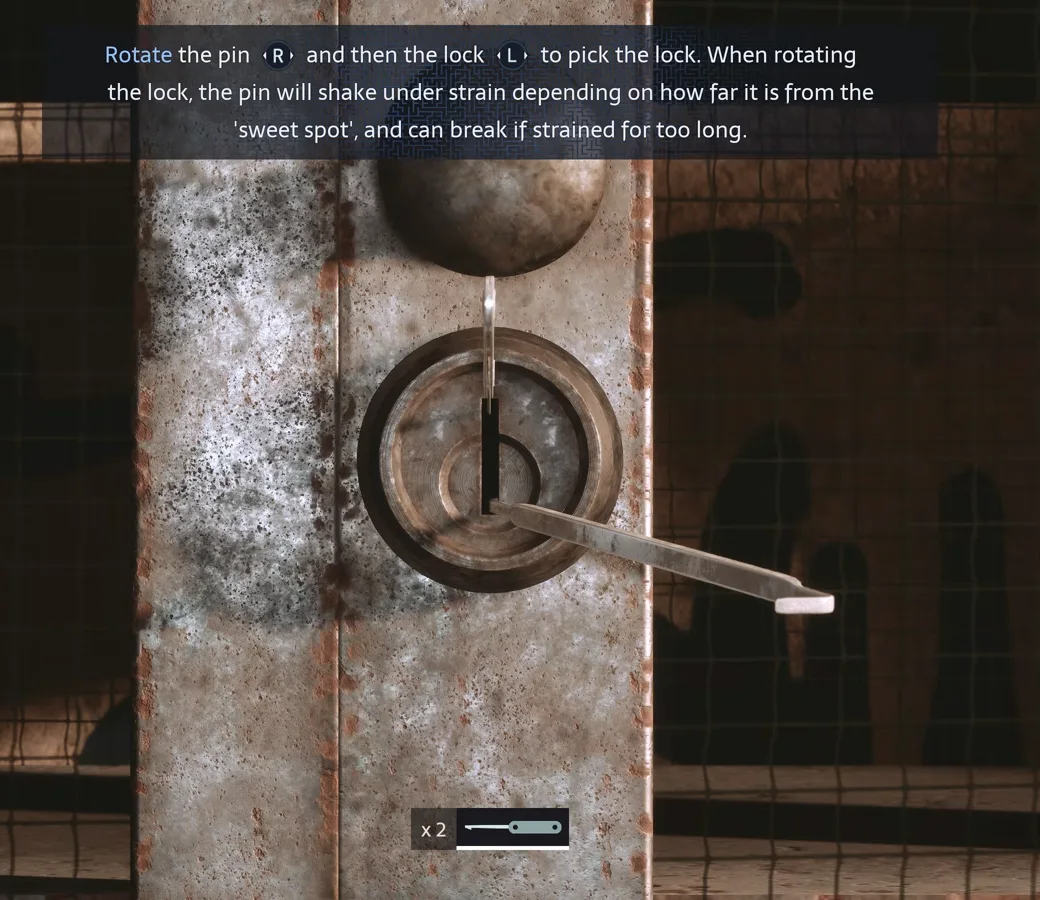
Section titled “Which lock are you looking at?”This route applies to the close-up with a thin pin and a separate turning tool. A four-digit input needs a keypad or safe combination. A box-shaped recess uses a Genesis Configuration shape. The mansion’s circular flower mechanism has its own solution.
Open the lock in four steps
Section titled “Open the lock in four steps”- Set the pin angle. In the demonstrated controller layout, the right stick moves the pin and the left stick turns the lock. Check the prompts on your own screen before applying those bindings.
- Test with a short turn. The in-game help says shaking happens under strain. A motionless pin while you are applying no turning force does not, by itself, prove you found the correct angle.
- Release if it shakes. Adjust the pin, then try another short turn. The narration describes slight shaking as close to the sweet spot and strong shaking as farther away. Use that feedback to refine your angle instead of forcing the turn.
- Finish once it stays steady. Keep the working angle and turn the lock. The first visible success opens the gate at approximately 00:24–00:26.
Why do my picks keep breaking?
Section titled “Why do my picks keep breaking?”The warning on screen says the pin can break if strained for too long. The practical correction is to release turning force as soon as you recognize a bad angle. Spending longer on the same shaking position does not move the pin toward the solution.
| What you observe | What to do next |
|---|---|
| Strong shaking during a turn | Release; try a different pin angle |
| Slight shaking during a turn | Release; refine the nearby angle |
| No shaking and the lock turns | Preserve the angle and complete the turn |
| No shaking while idle | Briefly test rotation before deciding the angle is correct |
We recommend short tests as a way to respond to the visible strain warning. The video does not measure a safe hold duration, a universal angle or pick durability by difficulty, so this guide gives no numerical promise. Preserve supplies with the beginner survival routine rather than testing the same bad position repeatedly.
Watch the demonstrated technique
Section titled “Watch the demonstrated technique”The useful explanation is at 00:08–00:24; the discussion of slight versus strong shaking is at 00:27–00:43. The full 58-second clip was reviewed, including its on-screen tutorial. The written instructions above are Lament Route’s synthesis of that evidence, not a transcript or a hands-on test log.
Video source: How To Pick Locks In Hellraiser Revival! — ADAPT Chance Live · 2026-10-09 · 0:58
Loading the player connects to YouTube. You can also open the original above. The written steps and screenshots work without the player.
Edited by Lament Route · Independent, unofficial guide and Wiki.
Published .